Kindle fixed-layout guide
Will a fixed-layout EPUB work on Kindle?
Amazon accepts fixed-layout EPUB for suitable published books, but a file sent as a personal document does not necessarily reproduce every KDP feature or preview result.
Quick answer
Yes—but the delivery path matters
For KDP, Amazon documents fixed-layout workflows for children’s books, comics and image-heavy titles. For Send to Kindle, conversion and personal-document behavior can differ from the retail Kindle edition. Validate the EPUB first, then test the same delivery path your reader will actually use.
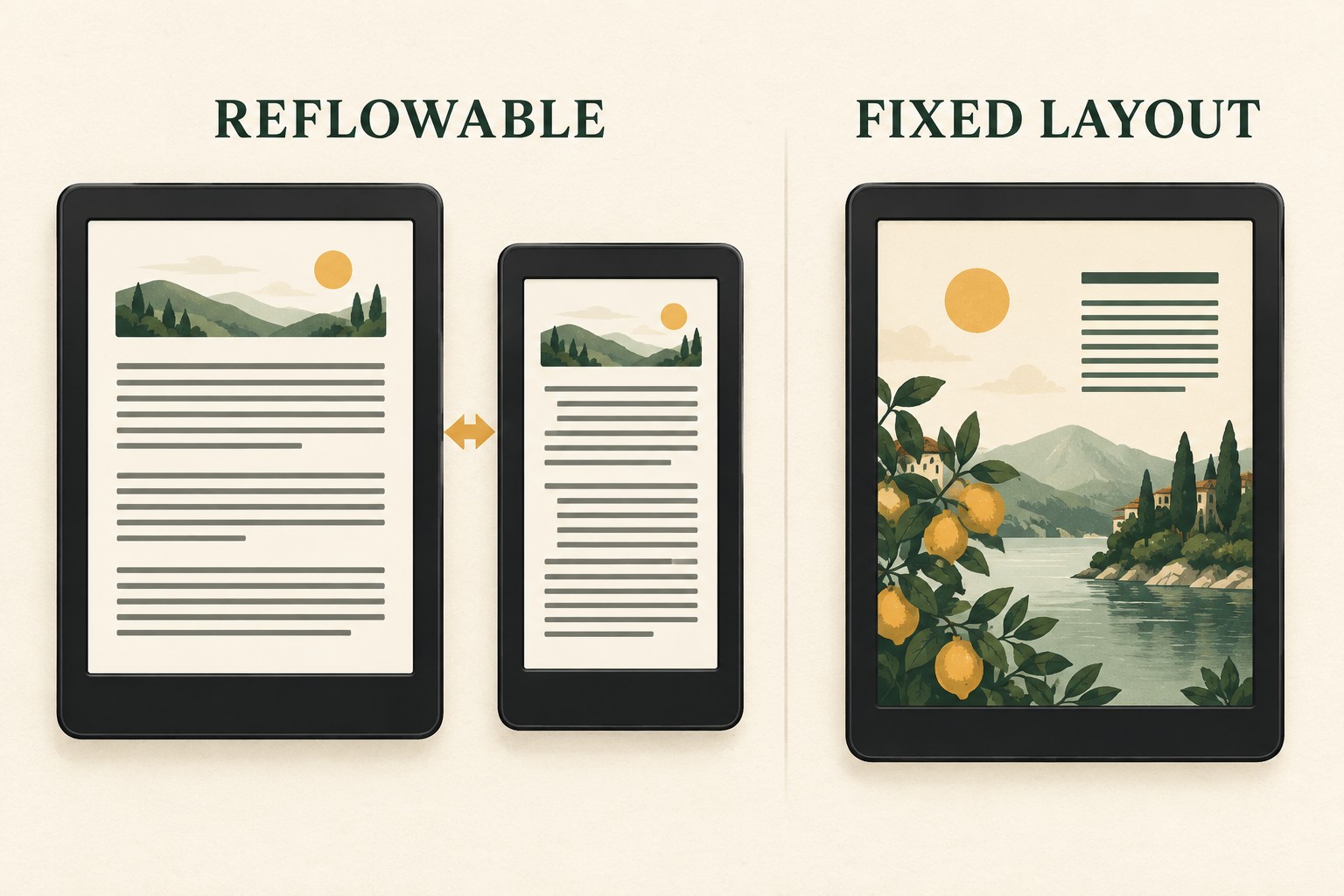
Choose fixed layout only for content that needs it
Picture books, comics, graphic novels, cookbooks with designed spreads and some textbooks may depend on exact relationships between text and artwork. Most novels and text-led nonfiction should remain reflowable so readers can change font size, line spacing and margins.
KDP publishing is not the same as Send to Kindle
KDP converts a publisher manuscript into a retail Kindle book and supports documented fixed-layout features such as text pop-ups or panel navigation for specific book types. Send to Kindle creates a personal document. Amazon notes that the features and quality of emailed personal files can differ from the version delivered to retail readers. A successful personal test therefore does not replace Kindle Previewer or KDP previewing.
Why a fixed-layout page may appear too small
A page whose aspect ratio differs from the screen can be scaled to fit and surrounded by margins. Text embedded in artwork cannot reflow, so it may be unreadable on a small phone or e-ink display. Use high-resolution images, keep essential text large enough at the smallest target size and test portrait and landscape independently.
Why conversion can fail
- The OPF does not declare
pre-paginatedcorrectly. - A fixed XHTML page has no valid width-and-height viewport.
- A spine reference or manifest resource is missing.
- Fonts, images or stylesheets use broken relative paths.
- Nested links or unsupported interactive markup conflict with the chosen Kindle fixed-layout mode.
- The EPUB is valid XML but the page design overflows its declared canvas.
A practical Kindle test sequence
- Run EPUBCheck and resolve errors.
- Open the EPUB in a standards-based reading app.
- Use Kindle Previewer for the publishing result.
- Inspect every page, not only the cover and table of contents.
- Test magnification or panel behavior when the book relies on it.
- If using Send to Kindle, upload a separate test copy and compare that personal-document result without assuming feature parity.
Do not “repair” layout by changing only one metadata value
Switching reflowable to pre-paginated cannot create page dimensions, responsive artwork or magnification regions. Converting the other direction also requires rebuilding the content and CSS. Use the source files when page geometry is wrong.
Check the EPUB package before conversion
FixMyEPUB can identify general package, manifest, spine, XML and cover problems. It does not create Kindle fixed-layout interactions or redesign page geometry.
Check the EPUB privately →Related fixed-layout guides
- Repair fixed-layout EPUB problems
- Validate every fixed-layout layer
- Decide whether fixed layout is appropriate