EPUB 3 production
How to create a fixed-layout EPUB
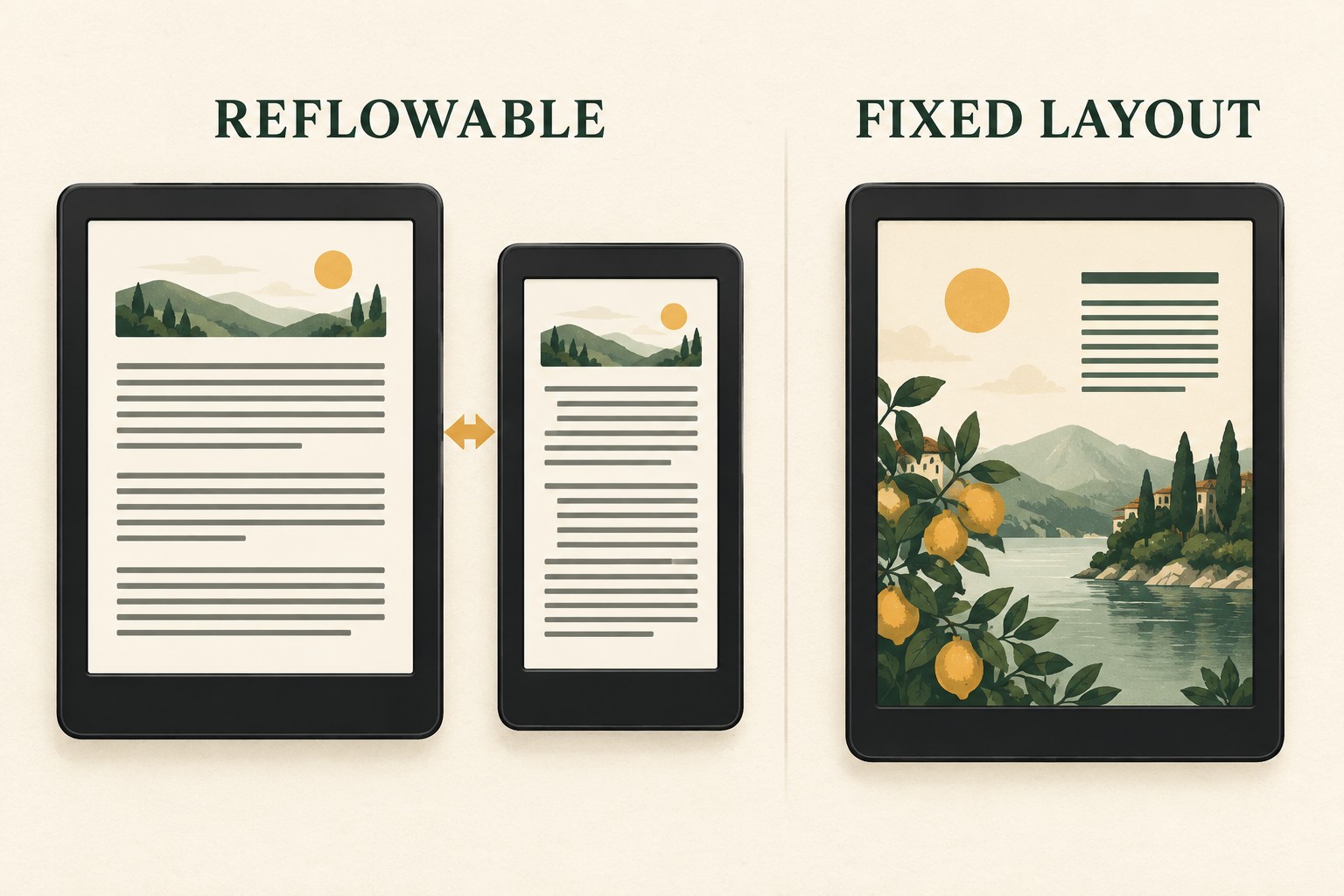
Use fixed layout only when each page must preserve an exact canvas—then make package intent, viewport dimensions, CSS geometry and spine order agree.
Short answer
Build one XHTML document per fixed page
Declare rendition:layout as pre-paginated, give every page a numeric viewport, list every resource in the manifest, order the pages in the spine, add navigation, package the ZIP correctly and validate the final archive.
1. Confirm fixed layout is the right format
Choose it for picture books, comics, art books, textbooks with positioned callouts or other designs where moving text changes meaning. Use reflowable EPUB for prose whenever possible: readers can resize type and reading systems can adapt the page.
2. Create the minimum EPUB structure
mimetype
META-INF/container.xml
EPUB/package.opf
EPUB/nav.xhtml
EPUB/css/book.css
EPUB/pages/page-001.xhtml
EPUB/images/page-001.jpg
The container.xml rootfile path must point exactly to EPUB/package.opf. Paths and letter case must agree everywhere.
3. Declare fixed-layout package metadata
<meta property="rendition:layout">pre-paginated</meta>
<meta property="rendition:orientation">auto</meta>
<meta property="rendition:spread">auto</meta>
Keep orientation and spread on auto unless the design truly requires a restriction. The package also needs title, language, identifier and modification date metadata.
4. Give every page an explicit viewport
<meta name="viewport" content="width=1600, height=2560" />Match those values in the page CSS. EPUBCheck reports missing or malformed fixed-layout viewports with messages such as HTM-046 and HTM-047.
5. Build the manifest and spine
Declare each XHTML page, image, stylesheet, font and navigation document once in the manifest with the correct media type. In the spine, use each XHTML manifest id in reading order. Add page-spread properties only when left/right placement matters.
6. Make reading order usable
Keep real text in logical DOM order even when CSS positions it visually. Provide useful alt text for informative images and include a navigation document. A screen reader should not have to infer reading order from x/y coordinates.
7. Package and validate the final file
The uncompressed mimetype entry must be first in the ZIP. Run EPUBCheck on the exact final archive, then preview every page at small and large screen sizes. Structural validity does not prove that text is large enough or that content remains inside the canvas.
Generate a correct starting scaffold
Enter your canvas dimensions and copy the OPF metadata, page viewport and CSS foundation.
Open the code generator →