Device download problem
Kindle personal document not downloading?
If the document is already in your Amazon library but will not download, focus on the device path before repairing the source EPUB.
Quick answer
What to do first
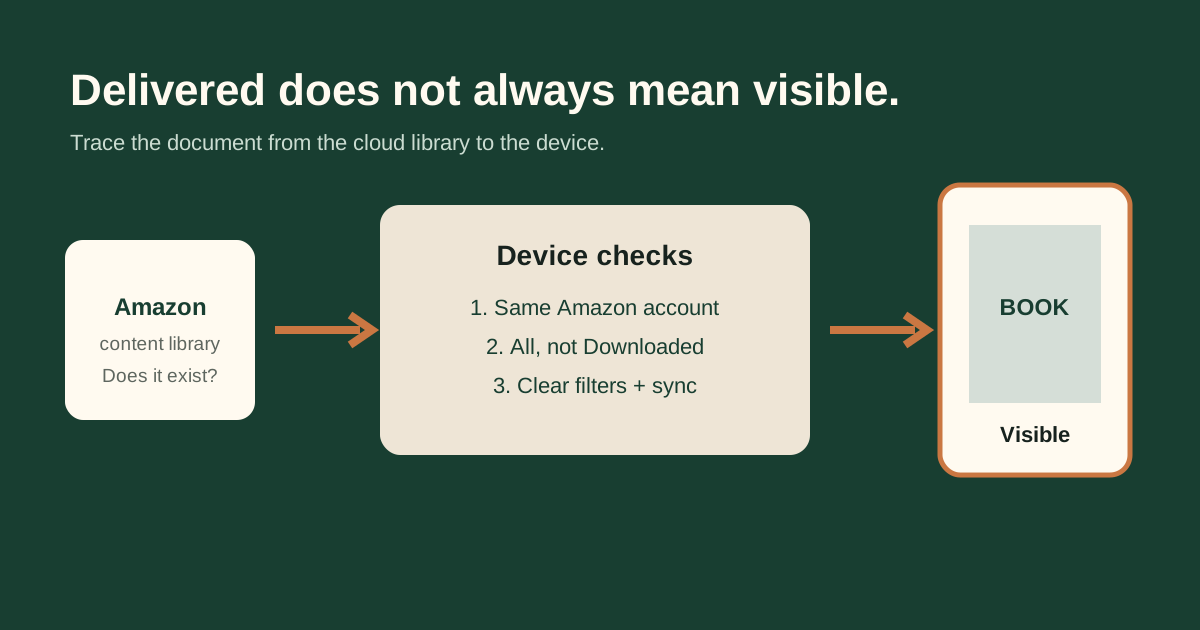
Confirm the item exists in the same account’s content library, connect the Kindle to working Wi-Fi, remove Airplane mode, check free storage, sync, clear filters and tap the cloud item again. If the item never reached the cloud library, return to delivery troubleshooting.
1. Prove the item exists in the cloud
Open the account’s content library and locate the personal document. If it is absent, this is a Send to Kindle delivery problem rather than a device download problem.
2. Confirm registration and connection
Verify that the Kindle uses the same Amazon account. Turn off Airplane mode, connect to a working Wi-Fi network and confirm that another cloud item can download.
3. Check local storage
A device with little free space may struggle to complete another download. Remove unneeded local downloads while preserving cloud copies, then retry the target item.
4–5. Clear the view and sync
Choose All, remove active filters, sort by Recent and use Sync and Check for Items. Search by internal title or author if the uploaded filename is not visible.
6–7. Restart and retry one copy
Restart the Kindle, allow the library to refresh and tap the cloud item once. Avoid resending multiple copies unless the original cloud record is missing or Amazon reports a final failure.
Not sure which problem you have?
Answer five questions to separate an EPUB error from an Amazon account, service, email, library or device problem.
Run the troubleshooter →