EPUB compatibility
Can Kindle read EPUB files?
Amazon accepts EPUB through Send to Kindle, but that does not mean every Kindle opens a raw EPUB copied directly over USB in the same way.
Quick answer
What to do first
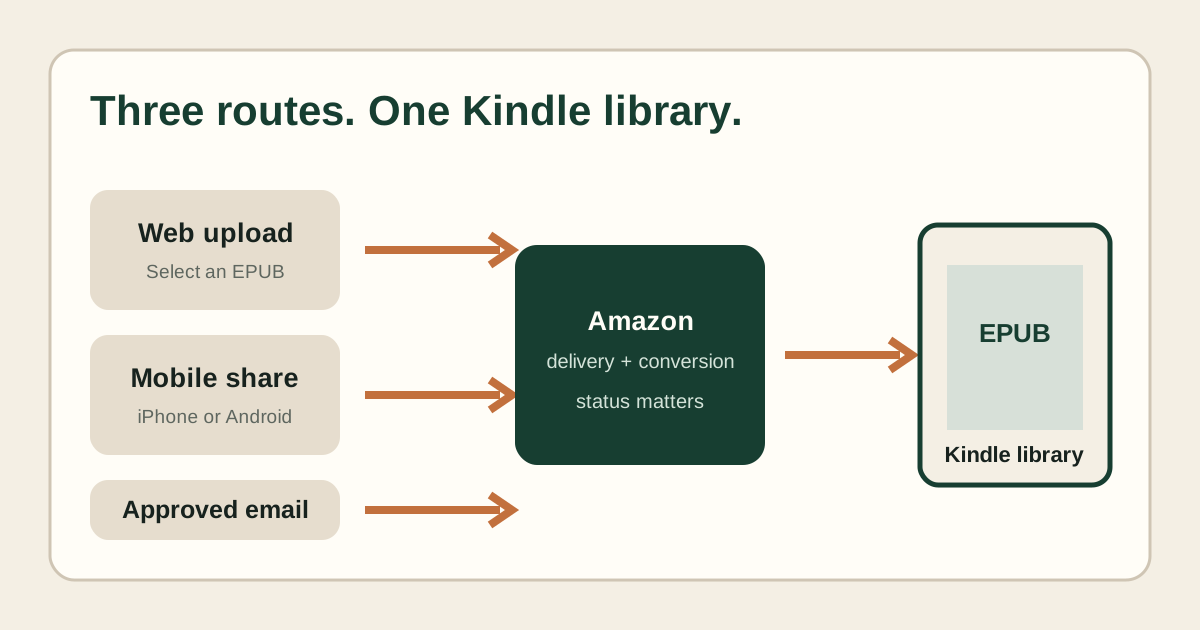
Use Amazon’s Send to Kindle service for EPUB. Amazon accepts the file, converts it for compatible Kindle surfaces and adds the result to the account library. A raw EPUB copied by USB is a different workflow and may not appear or open as expected on an E Ink Kindle.
What Send to Kindle does
The official service accepts supported source files, including EPUB, and performs delivery and conversion before the document appears in the Kindle ecosystem. That conversion step explains why package quality still matters.
Why USB is different
USB transfer places files directly on a device. It does not automatically reproduce the same cloud conversion, library syncing or cross-device availability as Send to Kindle.
Choose web, mobile or email for EPUB
Use the web uploader for a clear visible result, the mobile share action when the file is already on a phone, or approved email when that route fits your workflow. Keep one successful method as your control.
What happens after conversion
The personal document can appear in the cloud library and on registered devices. The displayed title, author and cover depend partly on EPUB metadata and partly on Amazon’s conversion and cached library state.
If the EPUB is rejected
Test a known-good EPUB through the same route. If only the target fails, inspect its container, package, manifest, spine, XML and cover signals before retrying.
Not sure which problem you have?
Answer five questions to separate an EPUB error from an Amazon account, service, email, library or device problem.
Run the troubleshooter →