Safe recovery
How to fix a corrupted EPUB file
“Corrupted” can mean missing bytes, a broken ZIP archive or a readable archive with invalid EPUB structure. Test that boundary before changing anything.
First decision
Can the EPUB still be opened as a ZIP?
If no ZIP tool can list or extract its contents, restore another copy or re-export from the source: structural repair cannot recreate missing bytes. If it extracts, preserve a backup and repair the container, package, resources and XML in that order.
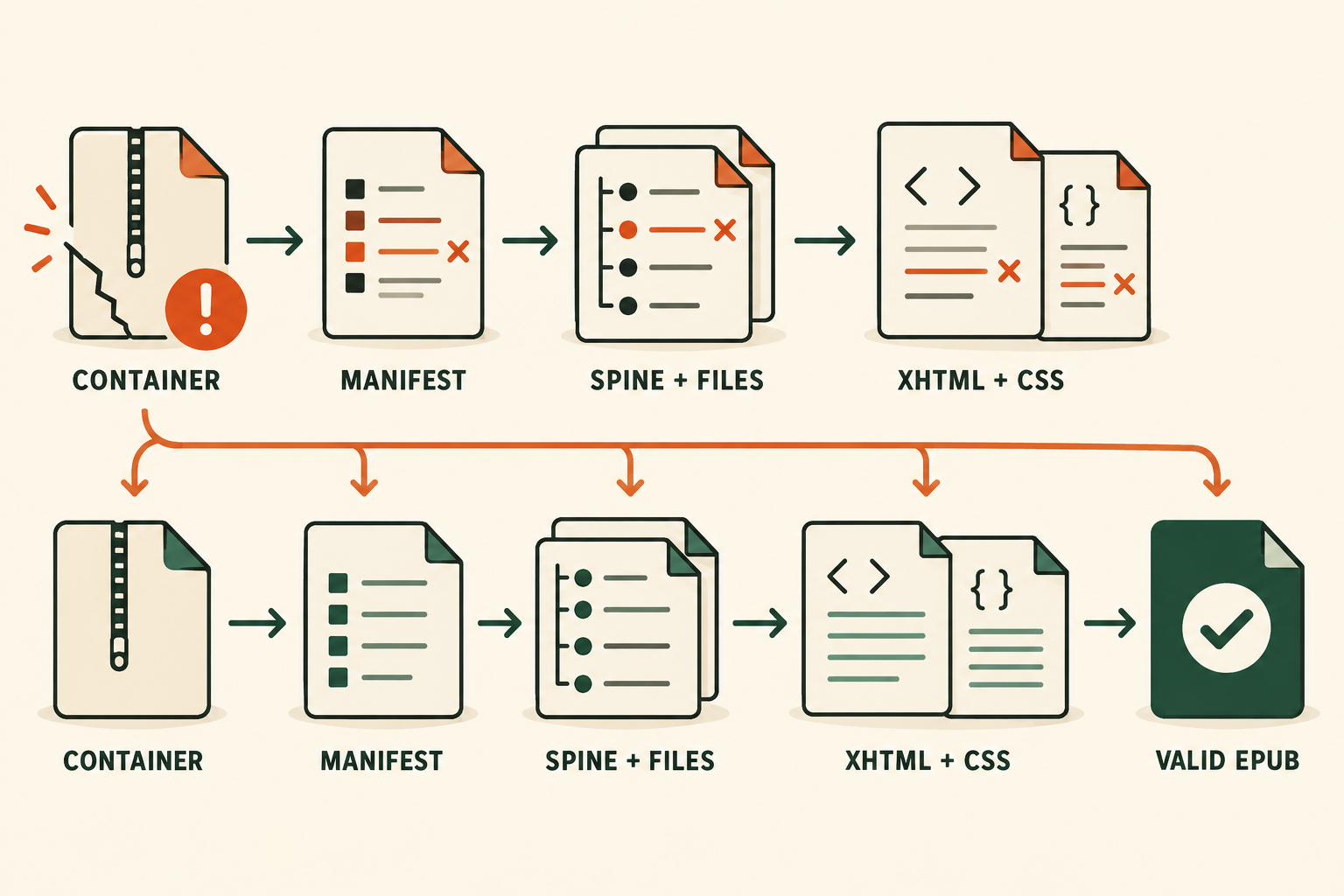
1. Preserve the original file
Copy the EPUB before renaming, extracting or repackaging it. Work on the copy and keep any source document or export project untouched.
2. Test the ZIP boundary
An EPUB is a ZIP-based container. If an archive tool reports a damaged central directory or cannot extract files, recovery depends on a backup or the source project. EPUBCheck reports unreadable headers and corrupt ZIP headers as PKG-003 and PKG-004.
3. Check mimetype and container.xml
The first archive entry must be an uncompressed file named mimetype with exactly application/epub+zip. Then verify that META-INF/container.xml exists and its rootfile path resolves to the real OPF.
4. Repair the package graph
In the OPF manifest, every id must be unique, every href must resolve, and every media type must match the resource. In the spine, every idref must match a manifest id. Fix filename capitalization instead of relying on a tolerant desktop reader.
5. Parse XML and inspect media
Repair malformed XML one reported file at a time. Open images separately when EPUBCheck reports corrupted headers. Replace damaged media from the source rather than repeatedly re-encoding an unreadable file.
6. Rebuild the archive correctly
Create a new EPUB archive with mimetype first and uncompressed. Do not simply ZIP an outer folder; the required files must sit at the EPUB root. Validate the rebuilt archive rather than the extracted directory.
When repair is not appropriate
Do not attempt to remove DRM or modify a book you are not allowed to edit. FixMyEPUB is intended for DRM-free files you own or have permission to repair.
Translate the validator message
Paste the exact EPUBCheck code to identify the broken layer and the next safe repair.
Explain an EPUB error →